How it Works
Access Control
What is Access Control?
Fed-BioMed ensures security and governance by giving each healtchare data provider full control over what operations are allowed on its data throughout the federated workflow. This control applies at multiple levels, from which datasets are exposed, to which code is allowed to run, to which cryptographic constraints are enforced. By combining these layers, Fed-BioMed ensures that each data provider remains the final authority over its data and the computations performed on it. Additionally, every action is logged in detail, so data provider administrators can always see who ran which operation and when.
Learn more ➤Three Levels of Control
Fed-BioMed applies access control at three distinct levels, giving each healtcare data provider granular control over its data and computations.

Dataset Level
Healtcare data provider administrators choose which datasets to expose to the federation. They can add or remove datasets at any time. All operations are logged.

Request Level
Before any code runs, the healtcare data provider reviews and approves or rejects the request. A rejected provider does not participate. Any change to the code triggers a new review.

Constraint Level
Healtcare data provider define automatic rules that apply to all requests (such as minimum dataset size, disabled operations, or mandatory use of Secure Aggregation).
End-to-End Workflow
Every federated operation in Fed-BioMed follows a structured access control workflow, from the initial request to execution and audit.
Request Submission
The researcher sends a request (training, analytics...) including the required code and an optional description of its purpose.

Node-Side Validation
Each node independently checks dataset eligibility, reviews the submitted code, and verifies that all access control rules are satisfied.

Approval or Rejection
The node administrator approves or rejects the request. Approved nodes participate. Rejected nodes do not, and can provide a reason to the researcher.

Execution
Approved requests are executed locally on the node. No data leaves the institution.

Audit Logging
Every action (submission, approval, rejection, execution) is logged for full traceability.

Managing Access Control from the GUI
Healcare data provider administrators can manage access control from the Command Line Interface (CLI) or directly from the Fed-BioMed Graphical User Interface (GUI), without any technical configuration. The example below shows a complete approval workflow in action.
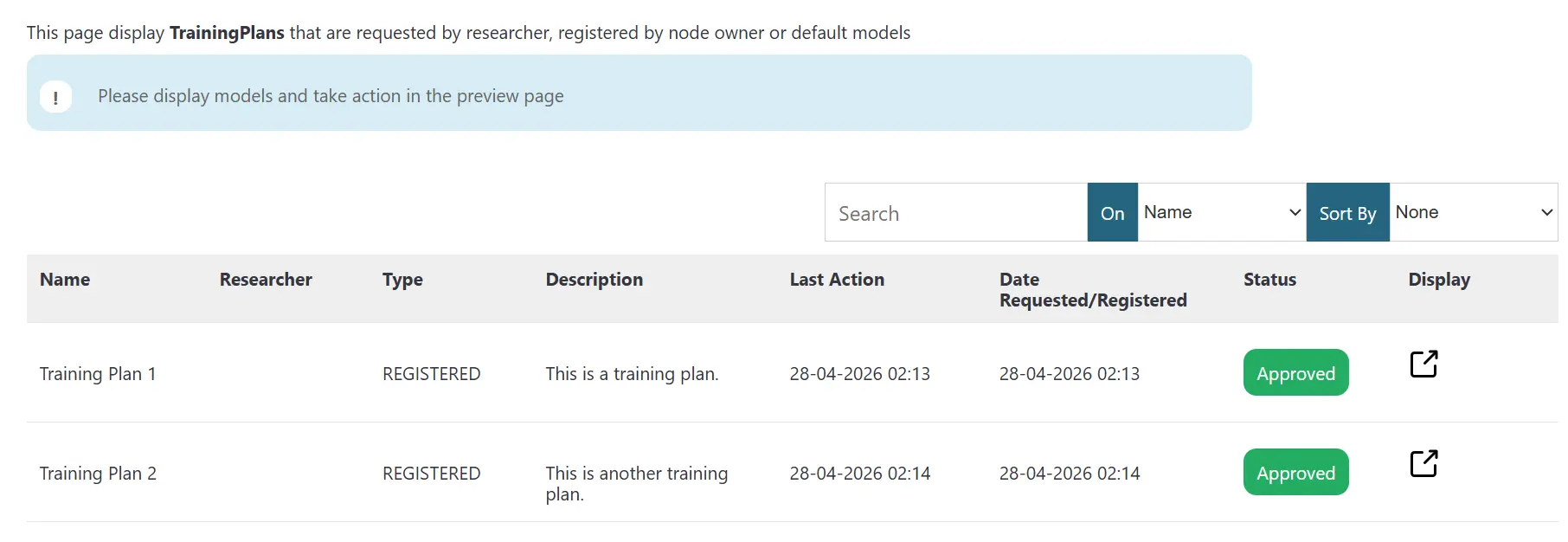
The list of submitted training plans with their current approval status.
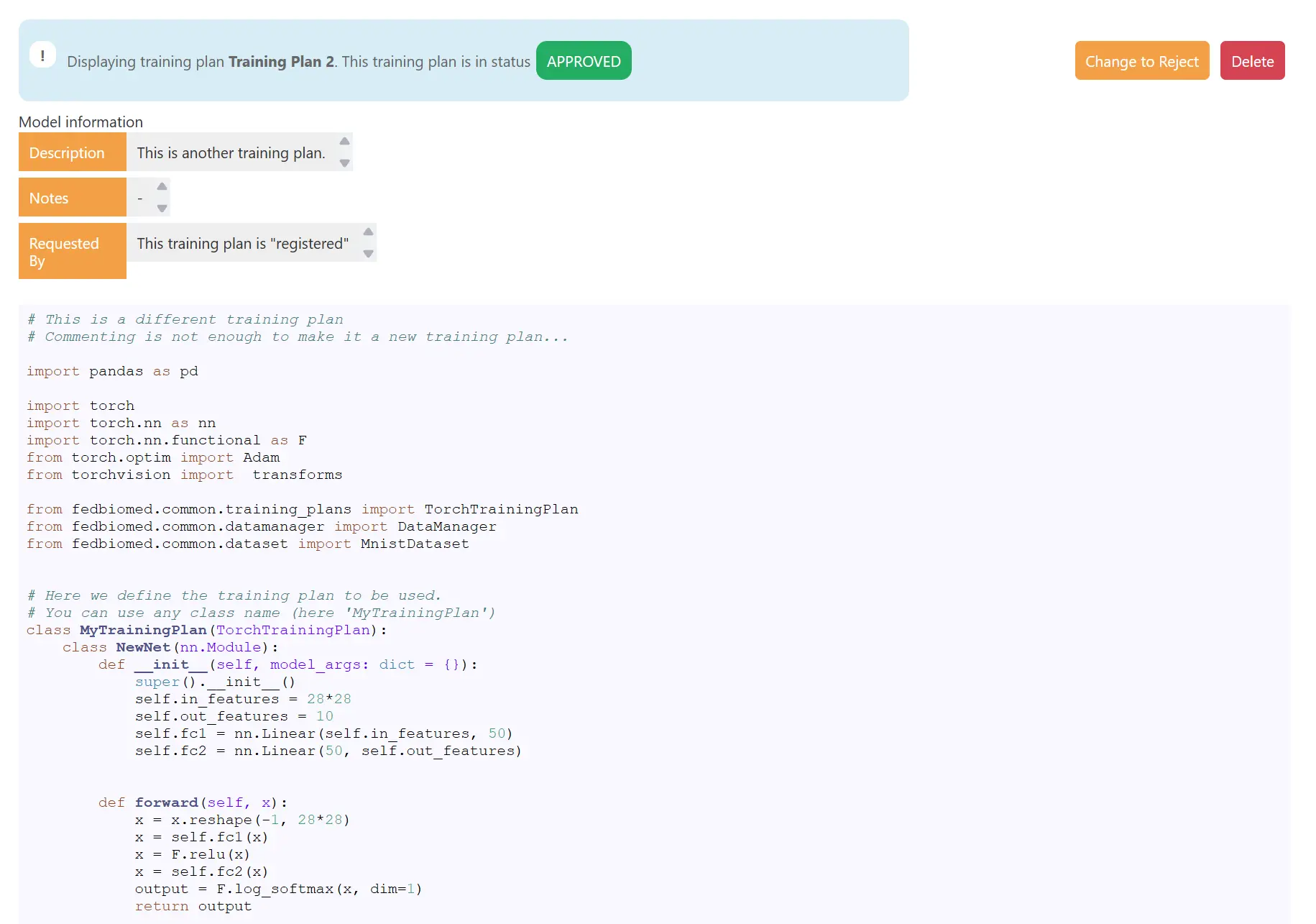
Full code of the training plan submitted by the researcher, ready for review.
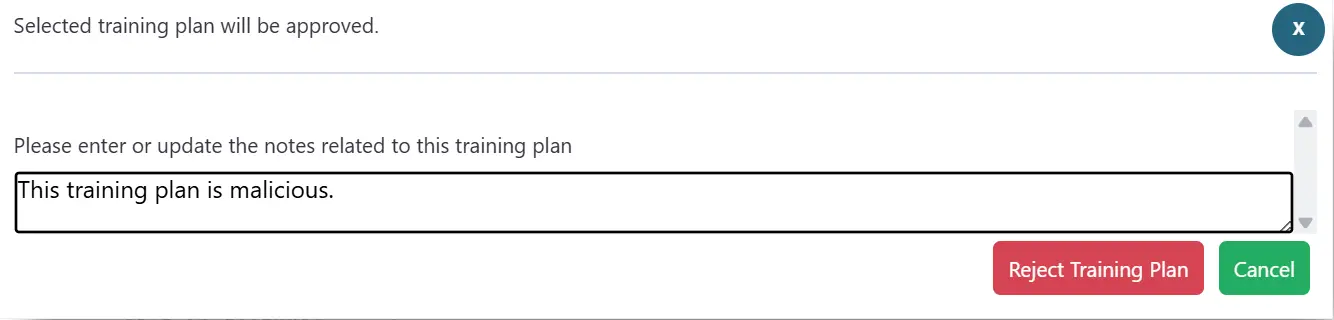
The rejection dialog lets the administrator attach an explanatory note for the researcher.
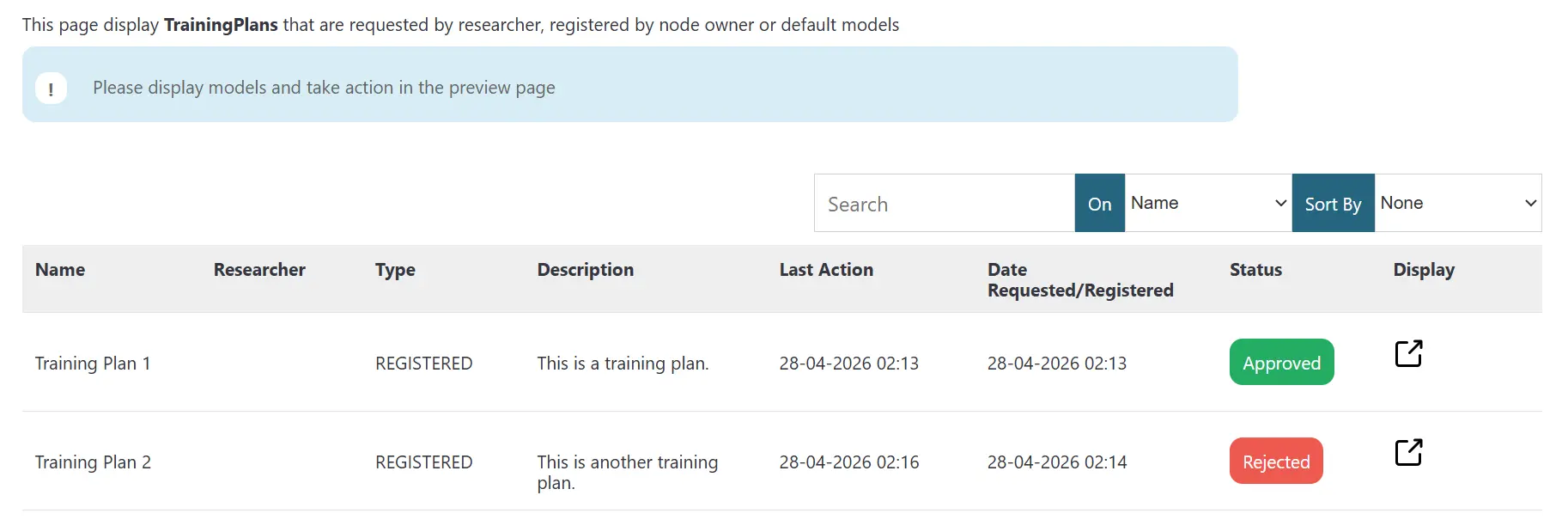
Updated list after review.